首页
首页有些idea用户反映通过SprintBootApplication main方法启动资源文件找不到
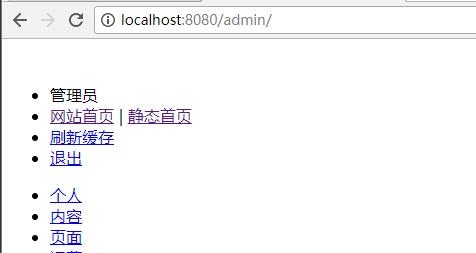
为了弄清楚这个问题 特意下载了一个idea社区版
发现启动过程中 *条日志
SprintBootApplication - Starting SprintBootApplication on 主机名 with PID 进程id (工程所在路径\publiccms-parent\publiccms\target\classes started by 用户名 in 工程所在路径\publiccms-parent)
因为resouce目录的文件依赖容器的default servlet去发布,就需要保证工作路径的正确,上面的日志中工作路径定位到了idea的工作空间路径,而且这个路径根据不同用户的不同配置也不完全一样,导致资源文件没有加载。
解决方法是:
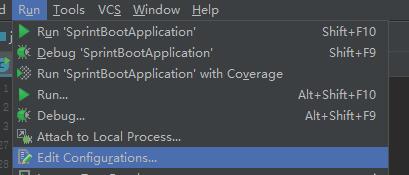
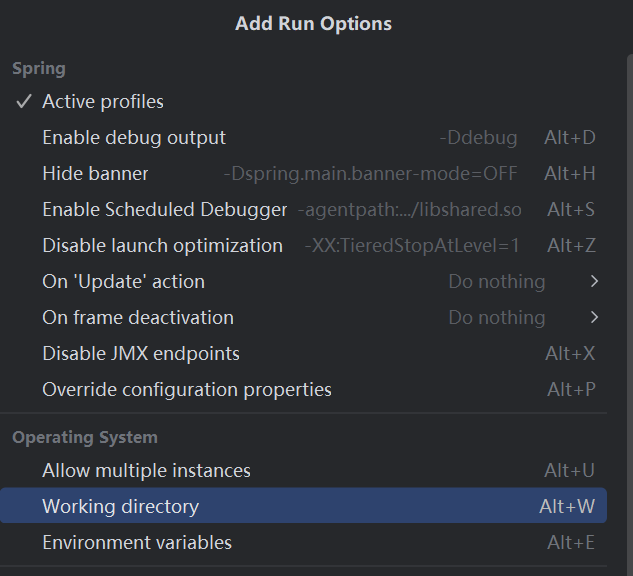
在Run菜单 找到 Edit Configurations菜单项,点击Modify options打开配置项选择列表,找到并点击Working directory
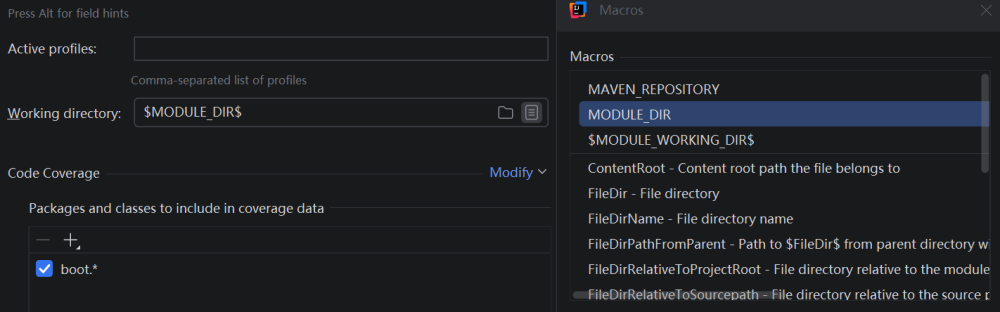
选择最右侧Macros,选择MODULE_DIR或者选择publiccms 模块所在的物理路径
感谢Public CMS-开源javaCMS 3群 (638756883) 用户 德军DE° 提出的这个问题